73813.89USD
 55.06USD
 1.38USD
 0.09USD
 2332.79USD
 8.4USD
 619.03USD
 83.98USD
 0.04USD
 0.03USD
 0.05USD

 Favorites
 History
 Feedback
Product detail
Nerd Miner configuration instructions
1. Find the charger with Type-C interface and power the device
2. After connecting the device to the power supply, the device will automatically turn on and come to the scanning interface, as shown below
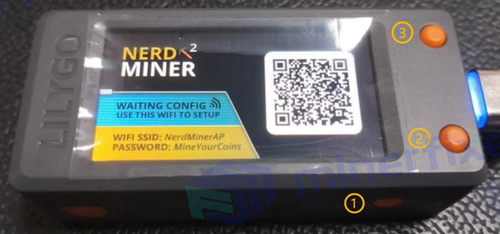
3. Scan the QR code on the screen to get the following text

4. Connect to WIFI
Search for "WIFI Name" in the picture above from the mobile phone WIFI device (or computer WIFI device), select the corresponding WIFI, and enter the device Password as follows
picture
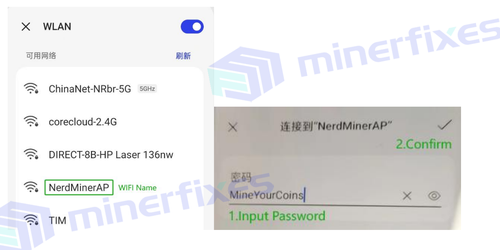
5. Automatically jump to the picture below, click "Configure WiFi"
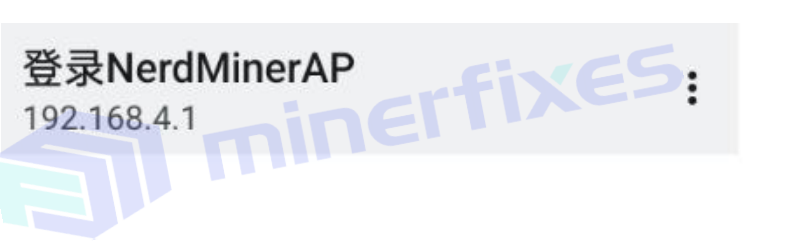
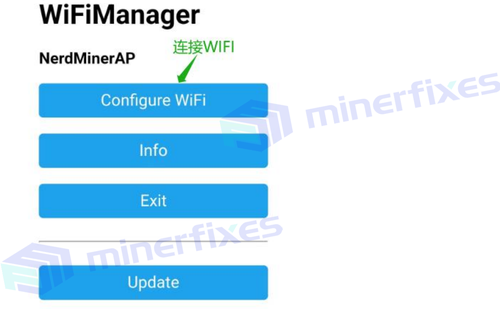

6. Enter the interface as shown below, wait for the WIFI list to appear (within 30 seconds), and perform SOLO configuration
Step 4: Recommended mining pool: pool.vkbit.com
Step 5: Port number: 3333
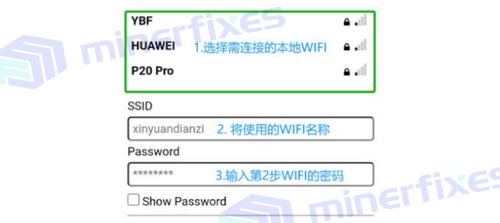
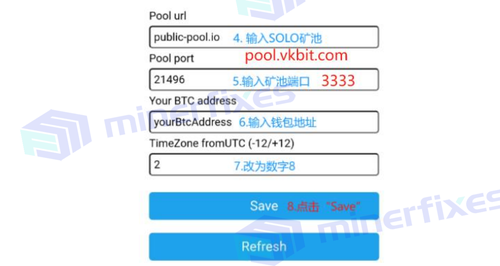
7. Configuration information. After completion, the system will automatically restart. After successful configuration, the interface is as shown below
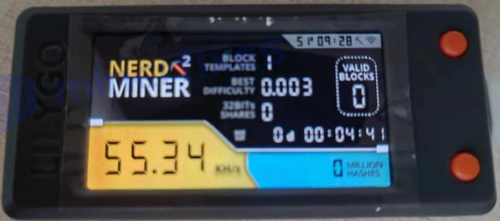
8. View real-time computing power
Open https://www.vkbit.com/, enter the mining pool address, and visit
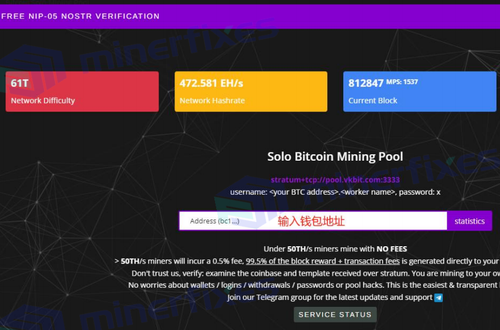
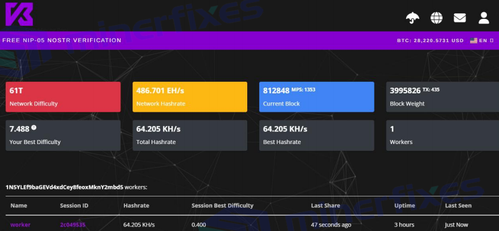
9. Device button description
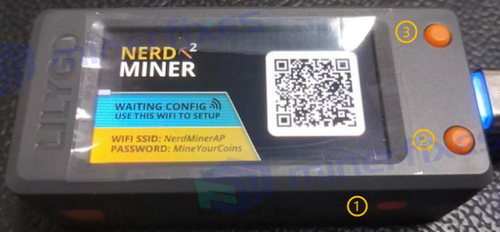
Button ①: Reset button, the device restarts, under the same WIFI, no reconfiguration is required
Button ②: screen key, used to switch the screen on and off
Button ③: Two ways to use it
※ Short press to switch screen display
※ Press and hold for 6 seconds and release to reset the device. Repeat steps 4-6.


1. Find the charger with Type-C interface and power the device
2. After connecting the device to the power supply, the device will automatically turn on and come to the scanning interface, as shown below
3. Scan the QR code on the screen to get the following text
4. Connect to WIFI
Search for "WIFI Name" in the picture above from the mobile phone WIFI device (or computer WIFI device), select the corresponding WIFI, and enter the device Password as follows
picture
5. Automatically jump to the picture below, click "Configure WiFi"
6. Enter the interface as shown below, wait for the WIFI list to appear (within 30 seconds), and perform SOLO configuration
Step 4: Recommended mining pool: pool.vkbit.com
Step 5: Port number: 3333
7. Configuration information. After completion, the system will automatically restart. After successful configuration, the interface is as shown below
8. View real-time computing power
Open https://www.vkbit.com/, enter the mining pool address, and visit
9. Device button description
Button ①: Reset button, the device restarts, under the same WIFI, no reconfiguration is required
Button ②: screen key, used to switch the screen on and off
Button ③: Two ways to use it
※ Short press to switch screen display
※ Press and hold for 6 seconds and release to reset the device. Repeat steps 4-6.